Printable checklist
Printable AI text-check checklist
Editorial status: AI-drafted text — pending human fact-check. Product facts that name a vendor were checked on official websites on 2026-11-18. We have not done hands-on testing unless a listing’s testing notes say otherwise. This notice will be removed only after a person has reviewed the wording.
Print this page and fill it in while you work. It is a worksheet, not a finding of misconduct, not a hiring decision, and not legal advice.
Main keyword: AI detector checklist. This is a worksheet, not a finding of misconduct and not legal, academic-conduct or hiring advice.
How to use this sheet
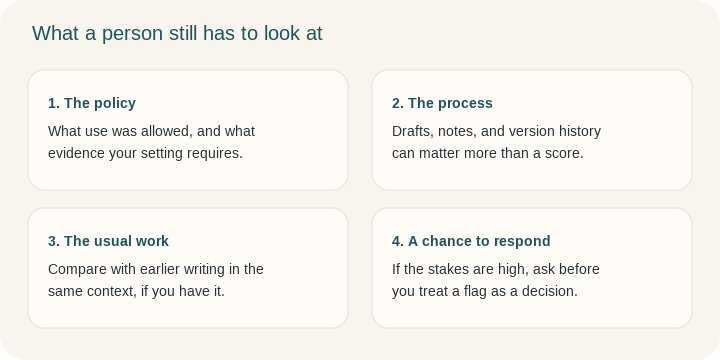
Work through the five-step workflow first if this is new to you. Then print the boxes below. Official sources cited on this site say a detector score should not stand alone. If a box does not apply, write “n/a” rather than skipping the record.
A. Prepare the text
B. Run two or three official checkers
C. Compare the official results
D. Human review
E. Decision and record
Frequently asked questions
Does ticking every box prove the text is human or AI?
No. This is a process record. Official pages cited throughout the site say a score is not a verdict.
Sources that informed this checklist
- QuillBot official AI Detector page. Checked on 2026-11-18.
- GPTZero official homepage. Checked on 2026-11-18.
- Sapling official AI detector page. Checked on 2026-11-18.
- Turnitin, “Understanding false positives in Turnitin AI detection”. Checked on 2026-11-18.
- Grammarly Support, “AI Detector user guide”. Checked on 2026-11-18.
- Jisc, “Principles for the use of AI in FE colleges”. Checked on 2026-11-18.
- University of Missouri, “AI Detection Tools” (AI @ Mizzou). Checked on 2026-11-18.
- OpenAI, “New AI classifier for indicating AI-written text” (31 January 2023; withdrawn 20 July 2023). Checked on 2026-11-18.